Face Recognition SDK Demo1.0.2
Publisher Description
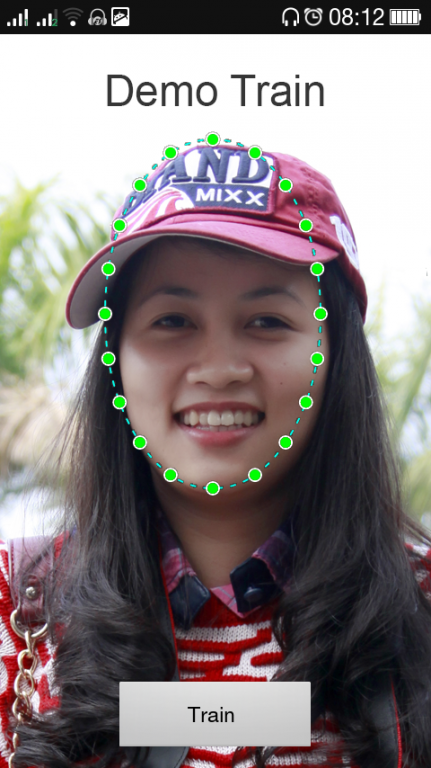
Do you want to make your application more smart?
You want to have Face Recognition function in application, but it too hard to implement or you can not afford?
Face Recognition SDK will help you solve these problem in few minutes.
Face Recognition SDK provide API, algorithm, basic screen to recognize the face . By use Face Recognition SDK will help you add Face Recognition function to your application quickly.
Face Recognition SDK include:
● API for face recognition based on Java Code. You don't need to understand about C/C++, OpenCV.
● Provide basic screen : Training Screen, Face Recognition Screen, Setting Screen.
● Allow you customize code, basic screen because we implement as Android Library.
● Face Recognition SDK based on OpenCV (http://opencv.org/)
● Support multi laguages: English – VietNamese - Japanese
Site to download source code of Face Recognition SDK:
1) http://vinisoft.com.vn:8080
2) https://github.com/Vinisoft/Face-Recognition-SDK-for-Android
About Face Recognition SDK Demo
The company that develops Face Recognition SDK Demo is Vinisoft. The latest version released by its developer is 1.0.2.
To install Face Recognition SDK Demo on your Android device, just click the green Continue To App button above to start the installation process. The app is listed on our website since 2015-04-21 and was downloaded 19 times. We have already checked if the download link is safe, however for your own protection we recommend that you scan the downloaded app with your antivirus. Your antivirus may detect the Face Recognition SDK Demo as malware as malware if the download link to com.vinisoft.facesdk.demo is broken.
How to install Face Recognition SDK Demo on your Android device:
- Click on the Continue To App button on our website. This will redirect you to Google Play.
- Once the Face Recognition SDK Demo is shown in the Google Play listing of your Android device, you can start its download and installation. Tap on the Install button located below the search bar and to the right of the app icon.
- A pop-up window with the permissions required by Face Recognition SDK Demo will be shown. Click on Accept to continue the process.
- Face Recognition SDK Demo will be downloaded onto your device, displaying a progress. Once the download completes, the installation will start and you'll get a notification after the installation is finished.
